
Integrated Autonomy
Back to the package page

Use your browser's print dialog and choose "Save as PDF" to keep a copy.

Package for home services and auto repair

A working website for your trade, with small jobs behind it

English and Spanish pages, an assistant on every page, a dispatch desk for the office, a view for the owner, and small jobs behind it that you approve before anything goes out.

P5Home services and auto
For HVAC, plumbing, electrical, locksmith, pest control, roofing, moving, contractor and auto repair shops. Core texts back missed calls, answers new leads fast, and follows up on quotes.

Who this is for

This package is for HVAC, plumbing, electrical, locksmith, pest control, roofing, moving, contractor and auto repair businesses. The sites are built for owner-run businesses with a small crew and a phone that rings while the crew is out on a job.

  • Owner-run trade and repair businesses
  • Calls that come while the crew is on a job or after hours
  • Quotes that go quiet
  • Invoices to chase

The call nobody answers after hours

Someone with no heat late at night, or water coming through the ceiling, needs an answer now. If the website offers only a form and a page of phone numbers, nothing tells them what happens after hours. Quotes go quiet after the first send. Invoices wait.

What vendors and others report
Home-service businesses miss about 27% of inbound calls.Invoca, a vendor, as passed on by other vendors. A vendor claim, not measured, and not a fact about your business.
A lead reached within 5 minutes is 21 times more likely to convert than one reached at 30 minutes.LeadAngel, a software vendor. A vendor figure, not a fact about your business.
56% of US small firms have unpaid invoices, with $17,500 owed on average, and 47% of them over 30 days late.QuickBooks 2025, read through a summary by Agiled. An outside figure, not a fact about your business.
Two sources put a subcontractor's wait for payment at 56 to 96 days, while one survey puts it at 15 days.Billd and Siteline for the longer waits, read through summaries, and Talker Research for Built for the 15 days. Outside figures, not facts about your business.

These figures come from outside sources. None of them describe your business. We show no figures for money lost on after-hours calls, because those come from vendor models and not from measurements.

What the website really has

One site does the work of three. It has a customer side, a dispatch side and an owner side.

Customer siteService pages explain what to expect, and stepped booking checks the ZIP code. Customers join plans online at your price, and a gallery shows your jobs and reviews. An emergency button shows a safety message, then asks three plain questions using fixed rules. It pages on-call staff after hours and never gives do-it-yourself advice on gas, electrical or structural work.
Assistant on every pageIt answers from pages you have approved, names the page it used and says it is an assistant. It hands the rest to a person, gives no do-it-yourself gas, electrical or structural advice and takes no card numbers.
Dispatch deskThe desk shows technicians as columns on a day grid. New requests run a timer and escalate if nobody picks them up. It holds the after-hours emergency log, open quotes with the next follow-up, closed jobs with packets, plan renewals, assistant handoffs, win-back and reviews. Failed payments send customers a link to their own payment page, never a card field.
Owner's viewYou see the whole day in one sentence, then decisions, the pipeline, after-hours calls the emergency button caught, plans, licenses, capacity, reviews and prices. Each sits on its own page, one tap from the next.
Back officeYou set your services with price ranges, your office hours, what the assistant may use and every message's wording. Changing the hours changes what the site shows and the path after-hours requests take. A consent log records who agreed to emails and, separately, to texts.
English and SpanishEvery customer page has a Spanish version. Every message goes out in the customer's own language.
The view switchOne bar at the top switches between the customer site, dispatch desk, owner's view and back office.
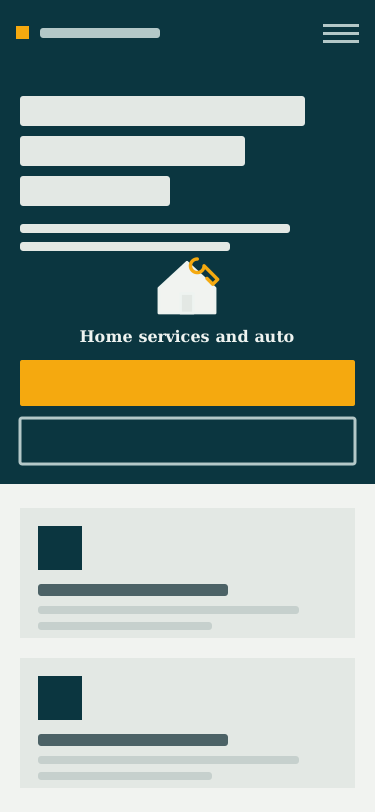
A drawing of the Home services and auto website shown on a laptop screen.
Laptop
A drawing of the Home services and auto website shown on a phone screen.
Phone
Fig. 1 A drawing of the kind of website this package comes with.

The jobs behind the site

Each job is small and does one thing. Here is what starts it, what you approve and what it will not do.

Blue steps run on their own, green steps are done by a person on your team, and gold steps wait for you.

  • Runs on its own
  • Done by your team
  • Waits for you

4.1

Core: jobs for missed calls, new leads and quotes

4.1.1

Missed-call text-back

When a call goes unanswered, the system sends the caller one short, fixed text within a minute that says it is automatic and invites a reply. You get an email with the caller's number, the time and whether the text went out, and a person on your team reads and answers any reply.

Fig. 2Runs on itsownDone by yourteamWaits for youCall goesunanswered1Caller getsone text2Owner getsan email3A personanswersreplies4
Missed-call text-back
  1. Call goes unanswered Runs on its ownThe system sees that a call to the business ended with nobody answering.
  2. Caller gets one text Runs on its ownWithin 60 seconds the caller gets one fixed automatic text saying sorry we missed you and inviting a reply.
  3. Owner gets an email Runs on its ownThe owner gets an email with the caller's number, the time of the call, and whether the text went out.
  4. A person answers replies Done by your teamWhen the caller replies, the message goes to a person on the team, who answers it.
What starts it

A call to the business goes unanswered

What you approve

Nothing waits for approval because the wording is fixed in advance, and a person on the team answers every reply.

What your customers see

One short automatic text after a missed call, asking how the business can help.

What you see

An email for each missed call with the number, the time and whether the text went out.

What it will not do
  • Each caller gets at most one text a day.
  • If the text cannot be sent, the owner gets the number by email and an alarm goes off.
  • The wording is fixed in advance, in English or Spanish, and the assistant does not write it.
Where it shows up
  • Staff desk
  • Owner's view
In plain words

The system sees that a call ended with nobody answering. Within 60 seconds the caller gets one fixed text that says it is automatic, says sorry we missed your call, asks how we can help and invites a reply. The owner gets an email with the caller's number, the time and whether the text went out. When the caller replies, a person on the team reads the reply and answers.

4.1.2

Speed-to-lead responder

Every new lead from a web form or ad form gets an instant reply and lands with one person on the team. If nobody picks it up, reminders go out until someone does.

Fig. 3Runs on itsownDone by yourteamWaits for youLeadarrives,gets tidied1Instantautomaticreply2Handed toone person3Reminderat 5minutes4Owner toldat 15minutes5Teammemberpicks up6
Speed-to-lead responder
  1. Lead arrives, gets tidied Runs on its ownThe system tidies the email and phone number and drops a repeat of the same lead on the same day.
  2. Instant automatic reply Runs on its ownThe lead gets a reply by email, and by text only if they ticked the box, saying a person will reach out.
  3. Handed to one person Runs on its ownThe lead goes to one team member, in turn, who gets an email with the name, contact details, source and message.
  4. Reminder at 5 minutes Runs on its ownIf nobody has picked the lead up after 5 minutes, the assigned team member gets a reminder.
  5. Owner told at 15 minutes Runs on its ownIf the lead is still untouched after 15 minutes, the owner is told too.
  6. Team member picks up Done by your teamA team member picks the lead up and marks it touched, which stops the reminders.
What starts it

A new lead arrives from a web or ad form

What you approve

The reply words are fixed in advance, so nothing waits for approval, and a team member confirms pickup by marking the lead touched.

What your customers see

An instant short reply saying their message arrived and a person will reach out.

What you see

An email at 15 minutes, only for leads nobody has picked up.

What it will not do
  • The same lead gets only one reply a day.
  • Reminders only cover leads that came in during the last day.
  • The reply is fixed in advance, says it is automatic, and matches the lead in English or Spanish.
Where it shows up
  • Customer site
  • Staff desk
  • Owner's view
In plain words

When a lead arrives, the system tidies the email and phone number and drops a repeat of the same lead that day. The lead gets an instant automatic reply saying a person will reach out soon, by email, and by text only if they ticked the box. The lead goes to one team member, in turn, who gets an email with the details. If nobody picks it up after 5 minutes the team member gets a reminder, and after 15 minutes the owner is told too.

4.1.3

Quote follow-up

Open quotes that go quiet get a few polite follow-up notes, so the customer knows the door is open. If a quote is lost, the owner records why.

Fig. 4Runs on itsownDone by yourteamWaits for youReads openquotes1Day 2check-in2Day 5 offerto adjust3Day 10 lastnote4Ownernotes thereason5
Quote follow-up
  1. Reads open quotes Runs on its ownOnce a day the system reads the open quotes from your quoting system.
  2. Day 2 check-in Runs on its ownOn day 2 the customer gets a short note asking if they have questions, with a link to the quote.
  3. Day 5 offer to adjust Runs on its ownOn day 5 a second note says the quote can be adjusted if something does not fit.
  4. Day 10 last note Runs on its ownOn day 10 a last note says there is no pressure and the door stays open.
  5. Owner notes the reason Waits for youIf all three notes go unanswered, the owner is asked to note why the quote was lost.
What starts it

An open quote has no answer after two days

What you approve

The owner decides and records why a quote was lost, and the notes themselves are fixed in advance.

What your customers see

Three short, polite notes with a link to the quote, by email, and by text only if they said yes to texts.

What you see

One email asking why the quote was lost, only for quotes that never got an answer.

What it will not do
  • The notes stop as soon as the customer replies by email or text, signs, or declines.
  • Each note goes out once.
  • The words are fixed in advance, say they are automatic, and go out in English or Spanish.
Where it shows up
  • Owner's view
  • Back office
In plain words

Once a day the system reads the open quotes from your quoting system. On day 2 the customer gets a short note asking if they have questions, with a link to the quote. On day 5 a second note says the quote can be adjusted, and on day 10 a last note says there is no pressure. If all three go unanswered, the owner is asked to note why the quote was lost.

4.2

Growth adds after-hours triage, the on-my-way and job-closed packet, and an invoice chaser

4.2.1

After-hours emergency triage

Answers every after-hours call or text right away with three short questions. If the answers point to an emergency, the on-call person is paged, and if not, the caller can pick a time the next business day.

Fig. 5Runs on itsownDone by yourteamWaits for youAfter-hourscontact1Three fixedquestions2Checkemergencywords3Page theon-callperson4On-callpersoncalls back5Nextbusinessday offer6
After-hours emergency triage
  1. After-hours contact Runs on its ownA caller calls or texts outside business hours, and the system starts a reply to that same contact.
  2. Three fixed questions Runs on its ownAn automatic reply asks what the problem is, whether anything is dangerous right now, and the service address.
  3. Check emergency words Runs on its ownThe answers are checked against a fixed emergency list, such as gas, smoke, flooding, a burst pipe or no heat.
  4. Page the on-call person Runs on its ownOn a match, the on-call person is paged, and the caller is told so and to call 911 if in danger.
  5. On-call person calls back Done by your teamThe on-call person sees the caller's number and the matched word, and calls the caller back.
  6. Next business day offer Runs on its ownOtherwise, the caller gets a link to choose a time the next business day, and a person reads it first thing.
What starts it

A call or text arrives after hours

What you approve

The wording and the emergency list are set ahead of time, and the person on call decides what to do about each page.

What your customers see

A text with three questions, then either a note that an on-call person is being paged or a link to choose a time the next business day.

What you see

The on-call person gets a page with the caller's number and the matched word, and every conversation shows in the log.

What it will not do
  • Replies use fixed wording in English or Spanish and give no diagnosis or advice.
  • Every message gets a reply, even when no emergency word matches.
  • The emergency word list is a starting point and is set ahead of time.
Where it shows up
  • Customer site
  • Staff desk
  • Owner's view
In plain words

When a caller calls or texts after hours, the system replies at once with three fixed questions. It checks the answers against a fixed list of emergency words. On a match, the on-call person is paged to call back now, and the caller is told a person is being paged. With no match, the caller gets a link to choose a time the next business day, and a person reads the message first thing.

4.2.2

On-my-way and job-closed packet

When the crew heads out, your customer gets a text with the technician's name and an arrival time. When the job closes, they get one email with the invoice, photos and warranty, then one review request.

Fig. 6Runs on itsownDone by yourteamWaits for youDispatchupdatearrives1Text oremail thecustomer2Officecloses thejob3Send thejob packet4Missingdetailsstopsending5Ask oncefor areview6
On-my-way and job-closed packet
  1. Dispatch update arrives Runs on its ownThe system receives the dispatch update for the job, with the technician's name.
  2. Text or email the customer Runs on its ownCustomers who said yes to texts get the technician's name and an arrival time by text; everyone else gets email.
  3. Office closes the job Done by your teamA person in the office closes the job when the work is done.
  4. Send the job packet Runs on its ownThe customer gets one email linking the invoice, photos and warranty, and can reply to ask for any that are missing.
  5. Missing details stop sending Waits for youIf the technician's name, email or invoice link is missing, nothing goes out and the owner is told what to add.
  6. Ask once for a review Runs on its ownIf the business has set a review link, the customer gets one request asking how it went, good or bad.
What starts it

The crew dispatches a job, then closes it

What you approve

The notes use fixed wording, a person in the office closes each job, and the owner adds any missing detail.

What your customers see

A text with the technician's name and arrival time, then one email with the invoice, photos and warranty, then one review request.

What you see

A note only when a job closes without an invoice link or an email address, naming what is missing.

What it will not do
  • Texts go only to customers who said yes to texts, and everyone else gets email.
  • Nothing goes to the customer if the technician's name or the invoice link is missing.
  • Each job and stage sends once, so a repeated update never repeats a message.
Where it shows up
  • Customer site
  • Staff desk
  • Owner's view
In plain words

When a job is dispatched with a technician's name, the customer gets that name and an arrival time by text, or by email if they have not said yes to texts, and the note says they can reply if the time no longer works and a person will help. When the office closes the job, the customer gets one email with links to the invoice, the photos from the visit and the warranty. If a detail is missing, nothing goes to the customer and the owner is told what to add. If the business has set a review link, the customer then gets one request asking how it went, good or bad, and every note is available in English and Spanish.

4.2.3

Invoice chaser

Sends customers polite reminders with a link to pay when an invoice goes past due. The reminders stop once the invoice is paid, and the owner hears about anything still open at 30 days.

Fig. 7Runs on itsownDone by yourteamWaits for youCheck openinvoices1Firstreminder at1 day2Secondreminder at7 days3Thirdreminder at14 days4Paymentstops it5Owner noteat 30 days6
Invoice chaser
  1. Check open invoices Runs on its ownEach day the system looks over open invoices and finds any that are past their due date.
  2. First reminder at 1 day Runs on its ownThe customer gets a polite note saying the invoice may have slipped by, with a link to pay online.
  3. Second reminder at 7 days Runs on its ownA second note says the invoice still shows as open and includes the same pay link.
  4. Third reminder at 14 days Runs on its ownA third note invites the customer to reply if something is wrong or they want to talk, and a person reads it.
  5. Payment stops it Runs on its ownOnce an invoice shows paid, voided or disputed, no more notes go out.
  6. Owner note at 30 days Waits for youThe owner gets one note with the customer, invoice and amount, decides the next step, and the customer hears nothing more.
What starts it

A daily check finds an unpaid invoice past due

What you approve

The reminder words are fixed, and the owner decides what happens after 30 days.

What your customers see

Short, polite reminders with the invoice, amount, due date and a link to pay, each saying to ignore it if already paid.

What you see

One note when an invoice reaches 30 days past due, with the customer, invoice and amount.

What it will not do
  • Reminders stop as soon as an invoice shows paid, voided or disputed.
  • Texts go only to customers who gave a written yes to texts, and everyone else gets email.
  • After 30 days the customer gets nothing more, and the owner decides the next step.
Where it shows up
  • Customer site
  • Owner's view
  • Back office
In plain words

The system checks open invoices each day. At 1, 7 and 14 days past due, the customer gets a polite reminder with a link to pay online, and the payment provider runs that link, so card details never pass through the system. If the invoice is paid, voided or disputed, the reminders stop, and only the latest reminder that is due is sent. At 30 days past due, the owner gets one note and decides what happens next.

How it fits together

Customers reach the site. The site and the assistant pass work to the dispatch desk. The small jobs handle the routine parts, and you approve what goes out.

    • CustomersPeople who need a repair, a visit or a quote.
    • Booking siteBooks visits, checks the ZIP and flags emergencies.
    • AssistantAnswers from approved pages and hands the rest to a person.
    • Small jobsText back missed calls, follow up quotes, chase invoices.
    • YouApprove what goes out and see the whole day.
    • Dispatch deskAssigns technicians and picks up every new request.
This is the same layout for every package, shown here for a home services business.

How we get you set up

Setup takes four steps. You send what you already have, and we build it into the kit.

  1. Step 1 of 4Send your logo and colorsWe re-skin the site in them so it looks like your company.
  2. Step 2 of 4Hand over your factsYour services and price ranges, service area, hours and on-call names, and photos of real jobs.
  3. Step 3 of 4Approve the wordingYou approve the exact wording of every message once, in English and Spanish.
  4. Step 4 of 4Go liveBecause this package texts customers, carriers have to register your texting first, which takes about one to two weeks. Then you go live, with an alarm if something breaks and a monthly receipt read from the records.

What you hand over

  • Your logo and colors
  • Your services and price ranges
  • Your service area, hours and on-call names
  • Your photos of real jobs
  • The exact wording you approve

Plans

Pick the plan that matches how much you want handled.

  1. Core

    3 jobs: Missed-call text-back, Speed-to-lead responder and Quote follow-up.

    Jobs in this plan

    • Missed-call text-back
    • Speed-to-lead responder
    • Quote follow-up
  2. Growth

    6 jobs: Missed-call text-back, Speed-to-lead responder, Quote follow-up, After-hours emergency triage, On-my-way and job-closed packet, and Invoice chaser. Growth also has drafts written by AI that wait for your approval, and a weekly receipt.

    Jobs in this plan

    • Missed-call text-back
    • Speed-to-lead responder
    • Quote follow-up
    • After-hours emergency triage
    • On-my-way and job-closed packet
    • Invoice chaser
  3. Operator

    This plan is in build and has no price yet.

SetupPaid onceMonthlya month
List pricePackage priceList pricePackage price
Core10%$2,900$2,610$490$441
Growth20%$6,900$5,520$1,200$960
OperatorIn build

You get an alarm when something breaks and a monthly receipt read from the records.

Take the whole package

A complete package is 10% off at Core and 20% off at Growth, and Operator is still in build.

The package discount comes off both the setup fee and the monthly fee, while single jobs stay at list price.

Every job listed here is built and tested. No customer has run them yet.

Or pick single jobs

Choose only the jobs you want. One extra job costs from a small price to a larger one, depending on the job.

One extra job

$900 small, $2,400 medium, $6,000 and up large

One extra job is priced by its size: small, medium or large.

It's month to month and renews until you cancel. Cancel online or by email any time and that stops the next charge. The setup fee isn't refundable once work has started.

Tell us about your business

Say what kind of work you do and what you would want handled first. Wes reads every note and writes back himself.

Get in touch

This form is for business owners, not for anyone under 16, and your details are used only to reply. See the privacy note.